Dragon Demos
A collection of demo or work-in-progress (or possibly destined to remain proof-of-concept) Dragon software.
Text Scrolling
- 512scroll.cas Dragon & CoCo cassette (or as a wav file)
- 512scroll.dsk Dragon & CoCo disk image
- 512scroll-0.2.tar.gz source code
- [gitlab]
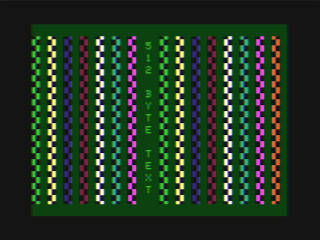
A tiny demo showing smooth vertical scrolling of the normal 512-byte text screen using hardware trickery. The key to this demo is that the font row is reset each time the VDG is switched from graphics to text mode, regardless of which scanline it is drawing.
You can try this in XRoar Online, but it will probably look better on real hardware.
Conway's Game of Life
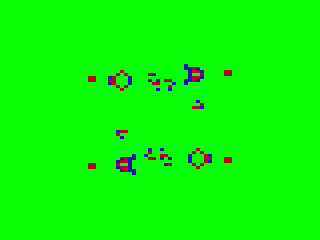
In tribute to John Conway, who died this year (2020) from COVID-19. For more information see the Conway's Game of Life Wikipedia page.
No built-in editor, just sets up some hopefully-interesting initial conditions and sets it going. Code features:
- Cells stored in off-screen buffer.
- Current/next state stored in separate nibbles, alternating per frame.
- Partial calculations stored for later use.
- Lots of self-modifying code.
- Ability to define a viewport (whole numbers of screen bytes only).
Try it in XRoar Online:
- Low-res version, sets up a couple of Gosper Guns
- High-res version, starts with an Acorn (and much slower)
Roids
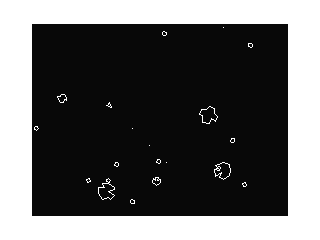
An Asteroids-esque environment. All the vector offsets are precalculated, but line drawing is done properly. Keys A and S allow rotation of the ship, Shift accelerates, and Enter fires. You can shoot asteroids, but can't die yet and there's no score. Speed is very variable and depends on the number of objects on screen.
Nyan Cat
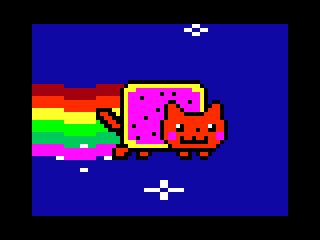
Originally released Aug 2011.
- nyan-dragon.cas Dragon & CoCo cassette (or as a wav file)
- nyan-dragon.dsk Dragon disk image
- nyan-coco.dsk CoCo disk image
- nyan-dragon.tar.gz source code
- [pouet]
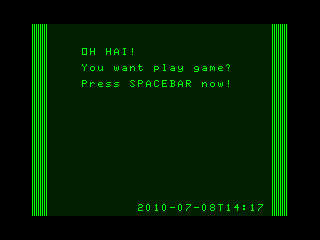
To load the cassette image, attach it and type CLOADM. Press Space when prompted. To load from the Dragon disk image, attach it and type RUN"DEMO.BIN". To load from the CoCo disk image, attach it and type LOADM"DEMO":EXEC. 64K required.
The tech stuff: 12 frame animation loop running at 12.5FPS. Music is three channels (one sample, two waveforms) mixed at 10.055kHz.
Thanks to:
- prguitarman - for the original animated gif
- daniwell-P - for Nyanyanyanyanyanyanya!
- saraj00n - for putting them together and creating a massive hit
- KingYakko - for the MIDI file used here
- Rem - for the mixer core, modified here to play samples
- ? - the intro notes came from this, and I don't know who made it!
Horizontal Scrolling
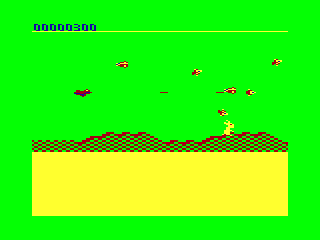
- scroll.dsk disk image
Horizontally scrolling shooter demo. Technical features:
- 42 bytes per line video mode.
- Smooth horizontal scroll with sprites updated at full PAL screen rate.
- Utilises FAST CPU rate while outside the active area. This avoids display corruption and allows plenty of RAM refresh during each frame.
- Dynamic sprite compilation: over a series of frames, compact sprite data is "compiled" into machine code that draws directly to the screen. This means sprites can be drawn very quickly, while allowing more sprites to be stored in the compact format.
This disk image is "dual boot": it should work on both the Dragon (using DragonDOS) and the CoCo (RSDOS). To start, in DragonDOS: BOOT or RUN"BOOT". In RSDOS: DOS or LOADM"BOOT".
Keys are W, S, A, D and Enter. P pauses, and within pause mode, Break will restart the demo level. Some number keys adjust options like player speed and firing rate.
Vertical Scrolling
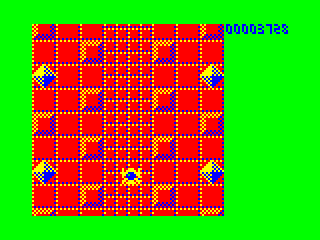
- vscroll.bin CoCo binary
Fast full-height vertical scroll, albeit in a lower resolution. Not very much CPU time left after this, not sure it could be turned into a game really. Keys (in the CoCo keymap only!) are W, S, A, D and Enter.
For a new take on the same problem, check out this Dev Diary.